
WooCommerce Support Ticket & Helpdesk Plugin
A helpdesk with departments, priorities, SLA tracking, canned replies, a knowledge base and a customer portal in WooCommerce My Account.
Demo login: admin / admin · Support · Free vs Pro · Free version
What Support Tickets does
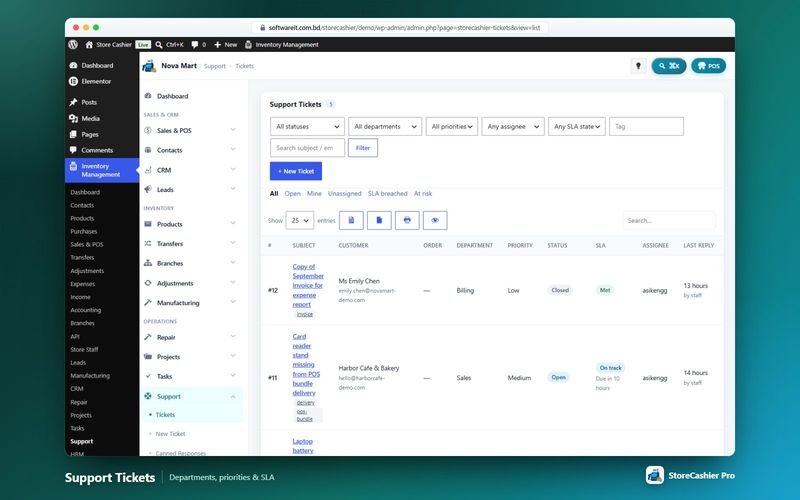
The StoreCashier Pro Support Tickets module turns your WordPress admin into a helpdesk. Tickets are organised by department, category and priority and tracked against first-response and resolution SLA targets, with quick tabs for open, mine, unassigned, SLA breached and at-risk tickets.
Agents reply with canned responses and knowledge-base links, add internal notes, merge tickets and convert a ticket into a task. Customers open and follow tickets from WooCommerce My Account or any page with the [storecashier_support] shortcode, and can rate the service when a ticket is closed.
Availability: This module is part of StoreCashier Pro. In the free plugin it is visible as a read-only preview marked PRO.
Support Tickets features
Ticket queue and workspace
- Queue with quick tabs ProAll, Open, Mine, Unassigned, SLA breached and At risk, with filters for status, department, priority, assignee, SLA state and tag.
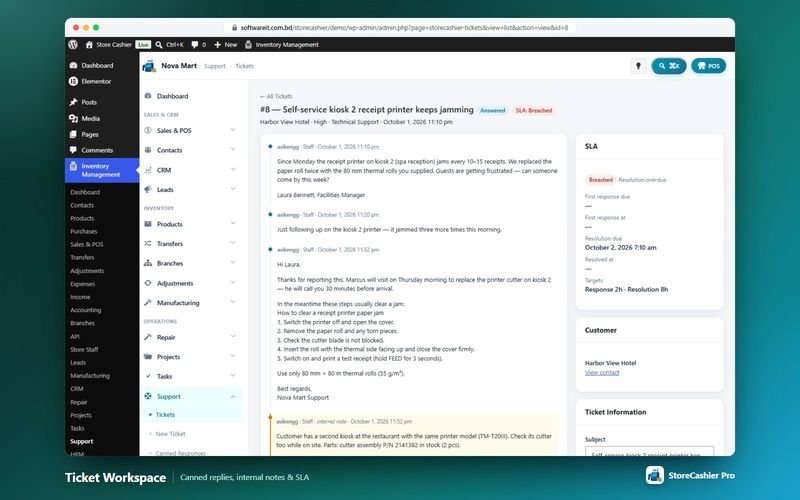
- Reply composer ProInsert canned responses or knowledge-base links, attach files, change status and send the reply by e-mail.
- Internal notes ProStaff-only notes inside the conversation.
- Ticket merging and convert to task ProMerge another ticket into this one or turn it into a task.
- Related order and project ProLink tickets to a WooCommerce order and a project, and see the customer's other tickets.
SLA and departments
- SLA tracking ProFirst-response and resolution due times with On track, At risk, Breached, Met and Missed states.
- Default SLA targets ProLow 48 / 8 hours, Medium 24 / 4, High 8 / 2 and Urgent 4 / 1 (resolution / first response).
- Departments with auto-assignment ProDepartments can have a default agent and e-mail, so new tickets are assigned automatically.
- Statuses ProOpen, Answered (set automatically when staff reply), On Hold and Closed.
Customer portal
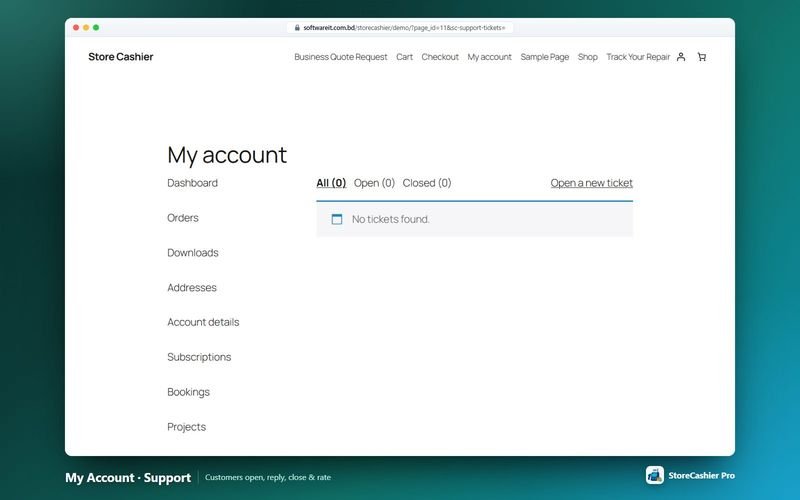
- My Account support tab ProCustomers list tickets, open new ones with department, category, related order and attachments, reply, close with a 1–5 satisfaction rating and reopen.
- Support portal shortcode Pro[storecashier_support] offers the same portal on any page.
- Protected attachments ProAttachments are stored in a protected folder.
- Ticket e-mails ProTicket received, new ticket, ticket opened for you, new reply, customer replied and ticket closed.
- Support tickets report ProVolume, response and resolution times, SLA compliance and CSAT.
Get StoreCashier Pro for $59 $99Unlock every Support Tickets feature plus all other Pro modules.
How Support Tickets works
The typical workflow, step by step.
- Set departments and SLAsCreate departments with default agents and set SLA hours per priority.
- Customers open ticketsFrom My Account or the support portal shortcode, optionally linked to an order.
- Agents respondCanned replies, knowledge-base links and internal notes keep answers fast and consistent.
- Watch the SLAAt-risk and breached tickets are flagged in the queue.
- Close and measureCustomers rate the service; the report shows SLA compliance and CSAT.
Support Tickets screenshots
Real screens from the StoreCashier Pro demo store. Click to enlarge.
Get StoreCashier Pro for $59 $99See it yourself in the live demo (admin / admin), then buy once.
Support Tickets FAQ
Answers based on the StoreCashier documentation.
Can customers open tickets from My Account?
Yes. StoreCashier Pro adds a Support Tickets tab to WooCommerce My Account where customers open, reply to, close, rate and reopen tickets. The [storecashier_support] shortcode offers the same portal on any page.
How are SLA targets defined?
Each priority has first-response and resolution hours. The defaults are Low 48/8, Medium 24/4, High 8/2 and Urgent 4/1, and you can change them.
Can tickets be assigned automatically?
Yes. Departments can have a default agent, so new tickets are auto-assigned.
Is there a knowledge base?
Yes. Agents can insert knowledge-base links and canned responses into replies.
More answers in the full FAQ and the documentation.
Get StoreCashier Pro for $59 $99All 20 optional modules plus the advanced POS, multi-location stock and 60 reports.
Related modules
Everything in StoreCashier shares one database, so these modules work together out of the box.
Projects & Tasks Pro
Plan, staff, track and invoice client or internal projects — with a full task manager, timers, timesheets and a customer portal.
Explore Projects & Tasks →CRM & Leads Pro
From the first web-form submission to a signed contract and a WooCommerce order — pipelines, proposals, contracts and lead scoring in one place.
Explore CRM & Leads →Contacts Free + Pro
Everyone you sell to and buy from — with balances, statements and two-way sync with WooCommerce customers and WordPress users.
Explore Contacts →Repair Shop Pro
Job sheets for phone, computer and device repair shops — intake checklist, estimates with customer approval, parts from stock, invoicing and warranty.
Explore Repair Shop →REST API & Integrations Pro
Connect apps, ERPs, mobile apps and automations with scoped API keys and signed webhooks — and bring StoreCashier to your storefront.
Explore REST API & Integrations →
Get StoreCashier Pro for $59
Support Tickets is included in StoreCashier Pro together with every other module — one plugin, one-time payment.
Start free, upgrade anytime. The free StoreCashier plugin on WordPress.org includes the POS, stock ledger, purchases and accounts, and shows Support Tickets as a read-only preview marked PRO. Upgrade when you are ready — your data is kept.
Download StoreCashier FreeDemo login: admin / admin · Support · Free version on WordPress.org · Pricing details