
Multi-Location Inventory, Branches & Staff Permissions for WooCommerce
Shops, warehouses and branches with their own stock, registers, staff and accounts — compared side by side.
Demo login: admin / admin · Support · Free vs Pro · Free version
What Multi-location & Staff does
The free StoreCashier plugin runs one business location with full stock and sales, POS staff and payment-account limits per staff member. StoreCashier Pro turns that into multi-location retail: stock per location, opening stock per location, transfers with in-transit tracking, location-scoped staff and payment accounts, and the Multi-branch module with branch profit and loss and inter-branch stock requests.
Access control is granular. Administrators and managers always have full access; everyone else must be switched on as POS Staff and hold specific permissions. In Pro, custom roles use a View / Add / Edit / Delete matrix for every module, and each user can be limited to specific business locations and payment accounts.
Availability: Available in the free plugin and in StoreCashier Pro — items marked Pro need StoreCashier Pro.
Multi-location & Staff features
Free = included in the free StoreCashier plugin on WordPress.org (and in Pro). Pro = StoreCashier Pro only.
Business locations
- One business location FreeFull stock and sales for a single location in the free edition.
- Multiple shops, warehouses and branches ProStock, POS registers, staff scope and reports per location.
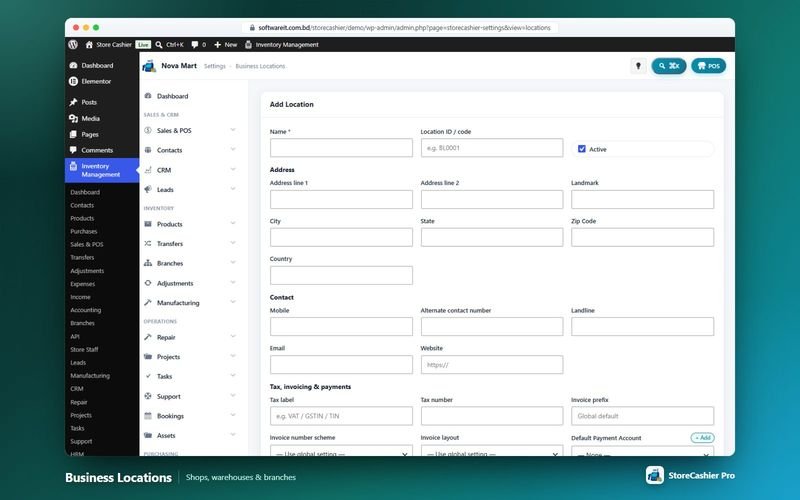
- Location settings ProAddress, contact details, tax label and number, invoice prefix, invoice number scheme and layout overrides, default payment account and opening hours.
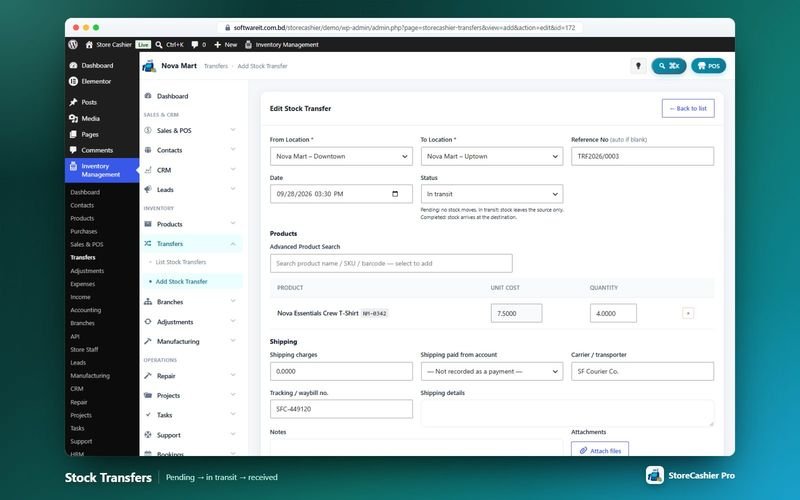
- Stock per location and transfers ProOpening stock per location and transfers with pending, in-transit and received statuses.
- Per-order business location ProOnline orders are stamped with the default location; changing an order's location re-books the deduction.
Branches
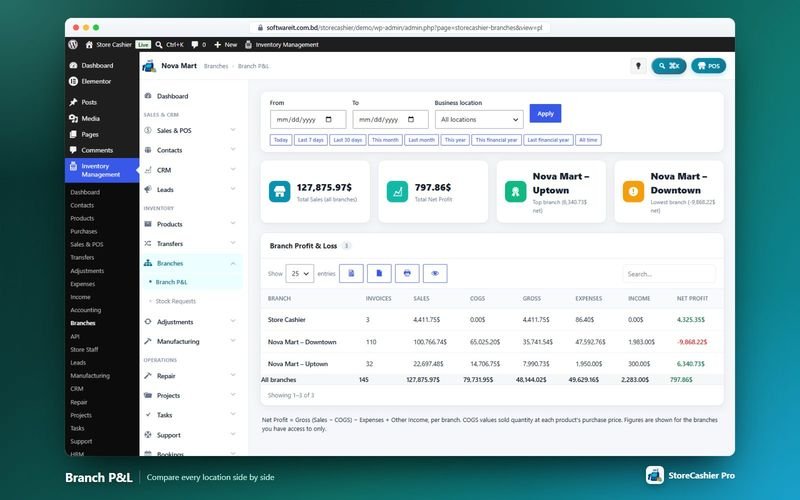
- Branch profit and loss ProInvoices, sales, COGS, gross profit, expenses, other income and net profit per branch, with an all-branches total and top / lowest branch highlights.
- Inter-branch stock requests ProRequest stock from another branch (BRQ references); fulfilment records transfer-out and transfer-in in the ledger.
- Approval gate ProRequests can go through the Approvals inbox before they are fulfilled.
Staff, roles and permissions
- POS staff FreeLet selected WordPress users sell from the register without full admin access.
- Limit payment accounts FreeChoose which payment accounts each staff member can see and use.
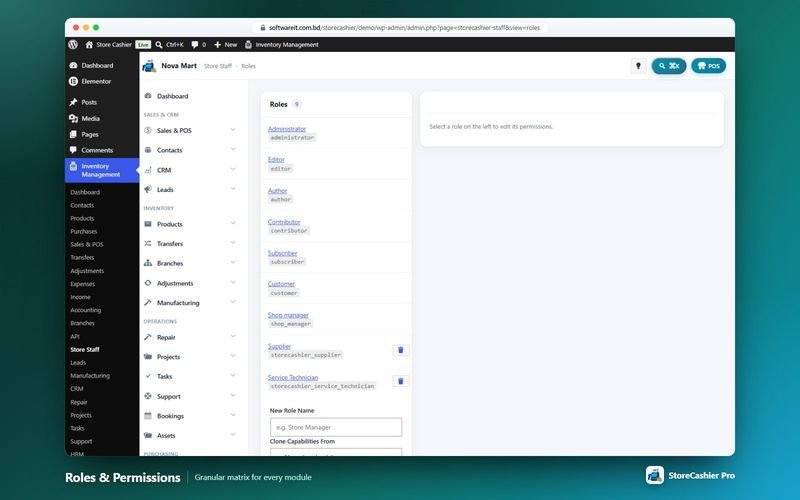
- Custom roles with a permission matrix ProView / Add / Edit / Delete per module, Use POS register, plus accounting, approvals, audit, API, documents, reports, staff and settings permissions; clone capabilities from an existing role.
- Per-user location scoping ProLimit a user to specific business locations; lists, reports and the POS respect the scope.
- Staff profiles ProSales created, sales value and recent activity per staff member.
- Invite cashiers in the setup wizard ProThe Quick Setup wizard's staff step invites team members and flags them as POS staff.
Get StoreCashier Pro for $59 $99Unlock every Multi-location & Staff feature plus all other Pro modules.
How Multi-location & Staff works
The typical workflow, step by step.
- Add locationsCreate shops and warehouses in Settings → Business Locations.
- Set opening stock per locationEnter or import real quantities for each location.
- Assign staffCreate roles, tick permissions and limit users to locations and accounts.
- Move stockTransfer stock or raise inter-branch requests.
- Compare branchesRead branch P&L side by side.
Multi-location & Staff screenshots
Real screens from the StoreCashier Pro demo store. Click to enlarge.
Get StoreCashier Pro for $59 $99See it yourself in the live demo (admin / admin), then buy once.
Multi-location & Staff FAQ
Answers based on the StoreCashier documentation.
Can I manage more than one location?
The free edition manages one business location. Multiple shops, warehouses and branches with separate stock, stock transfers, branch profit and loss and stock requests are part of StoreCashier Pro.
Can my staff use the POS without full admin access?
Yes. Turn on POS Staff for a WordPress user; you can also limit the payment accounts each staff member may use. Custom roles with a full permission matrix and location scoping are part of StoreCashier Pro.
Does each location have its own invoice numbering?
Yes, in StoreCashier Pro each business location can override the invoice prefix, number scheme and layout.
Can a cashier only see their own shop?
Yes. Assign the user to specific locations; lists, reports and the POS respect that scope.
More answers in the full FAQ and the documentation.
Get StoreCashier Pro for $59 $99All 20 optional modules plus the advanced POS, multi-location stock and 60 reports.
Related modules
Everything in StoreCashier shares one database, so these modules work together out of the box.
Inventory Free + Pro
Know your stock down to the product, variation, location and lot — with every movement recorded in an append-only ledger and synced to WooCommerce.
Explore Inventory →POS Register Free + Pro
A full-screen, touch-friendly and keyboard-first register for any desktop, laptop or tablet browser. Every sale is a real WooCommerce order.
Explore POS Register →Approvals, Documents & Audit Pro
Your team, your rules, your paper trail: approvals with conditions and escalation, versioned documents and a field-level audit trail.
Explore Approvals, Documents & Audit →Reports Free + Pro
A dashboard that respects permissions, 60 built-in reports in StoreCashier Pro and a Report Builder that pins your own charts to the dashboard.
Explore Reports →Accounting Free + Pro
Money follows every transaction: sales, purchases, expenses, payroll and refunds post to the right payment account automatically.
Explore Accounting →
Get StoreCashier Pro for $59
Multi-location & Staff is included in StoreCashier Pro together with every other module — one plugin, one-time payment.
Start free, upgrade anytime. 3 of the Multi-location & Staff features on this page are already in the free StoreCashier plugin on WordPress.org. Install it at no cost, then upgrade to Pro — your data is kept.
Download StoreCashier FreeDemo login: admin / admin · Support · Free version on WordPress.org · Pricing details