+880 171 8888 773 info@softwareit.com.bd 147B West Monipur, Mirpur 2, Dhaka 1216, Bangladesh
Works with StoreCashier Pro

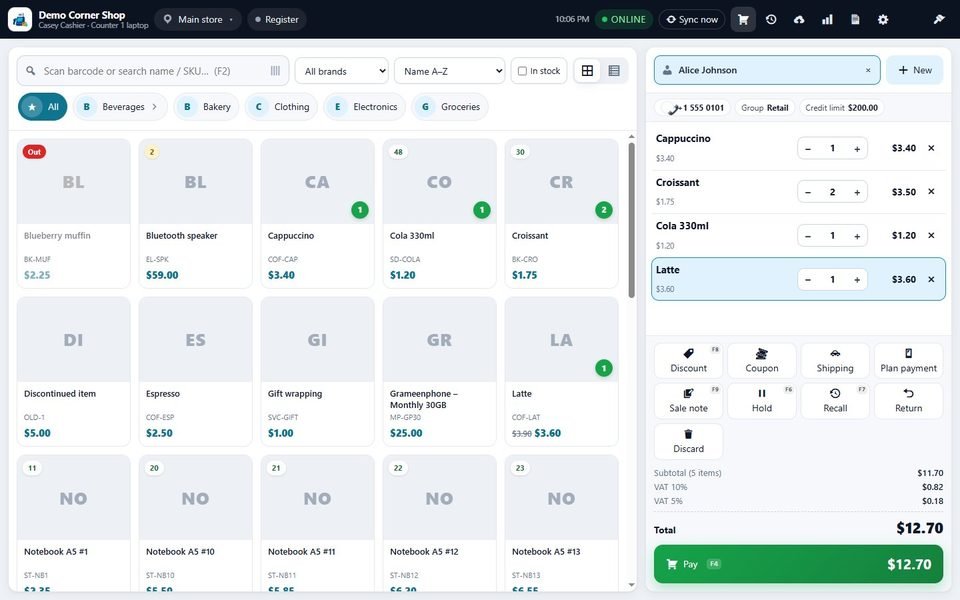
Your POS on Windows and Android

Keep selling when the internet drops. The app saves every sale on the device and syncs with your website as soon as the connection returns.

StoreCashier POS for Windows

For counters, laptops and desktop PCs. Works with receipt printers, barcode scanners and a customer display.

Download for Windows
Version1.5.1
Size107.7 MB
File.exe
SHA-256: 8529e210ce2ac4e1075026d27ee39076c545de3c2d4cc7e5fbcd714c5afab710

Requirements

  • Windows 10 or 11 (64-bit)
  • About 300 MB of free disk space
  • No administrator rights needed

How to install

  1. Download the installer and open it.
  2. If Windows shows "Windows protected your PC", choose More info, then Run anyway.
  3. Keep the default folder and choose Install.
  4. Leave Run StoreCashier POS ticked and choose Finish. The app opens on the pairing screen.

StoreCashier POS for Android

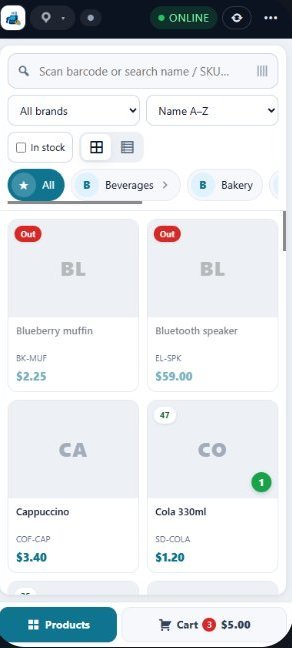
For tablets and phones. Sell at the counter or on the shop floor, and scan with the camera.

Download for Android
Version1.5.1
Size4.3 MB
File.apk
SHA-256: a186f9c0325841bec0a428a7657ae75297f84edf86d4ebea09f87b07ca25a08c

Requirements

  • Android 7.0 or newer
  • A tablet of 8 inches or larger is best; phones also work
  • Camera for QR pairing and scanning (optional)

How to install

  1. Download the APK on the tablet or phone and tap the file.
  2. If Android asks, open Settings and switch on Allow from this source.
  3. Go back and tap Install. If Play Protect asks, choose Install anyway.
  4. Tap Open. The app starts on the pairing screen.

Ready to sell in three steps

1

Install the app

Download it above and install it on your PC, tablet or phone.

2

Add a device

On your website open StoreCashier, then Settings, then POS Apps, and add the device to get a pairing code.

3

Pair and sell

Enter your site address and the code in the app, or scan the QR code. Products and prices download by themselves.

Read the pairing guide

The apps need a licensed StoreCashier Pro website

Each paired device uses one POS device seat. Seats are included in the Pro + POS Apps and Business packages, and you can add extra devices to any package.

See plans